 VN
VN 












_2gsqbg.webp)
How to Use AI Content to Write SEO-Optimized Articles in Just 11 Steps
What is AI Content?
AI Content is an AI-powered content creation tool that helps you write articles quickly without spending much time on research or brainstorming. Simply input some basic information like a title and keywords, and the AI will automatically generate a complete article, tailored to your intended use.
Whether you're a marketing professional, an SEO specialist, a business owner, or just starting to build a website, AI Content simplifies and streamlines the article writing process.
Follow these 11 steps to create an SEO-optimized article.
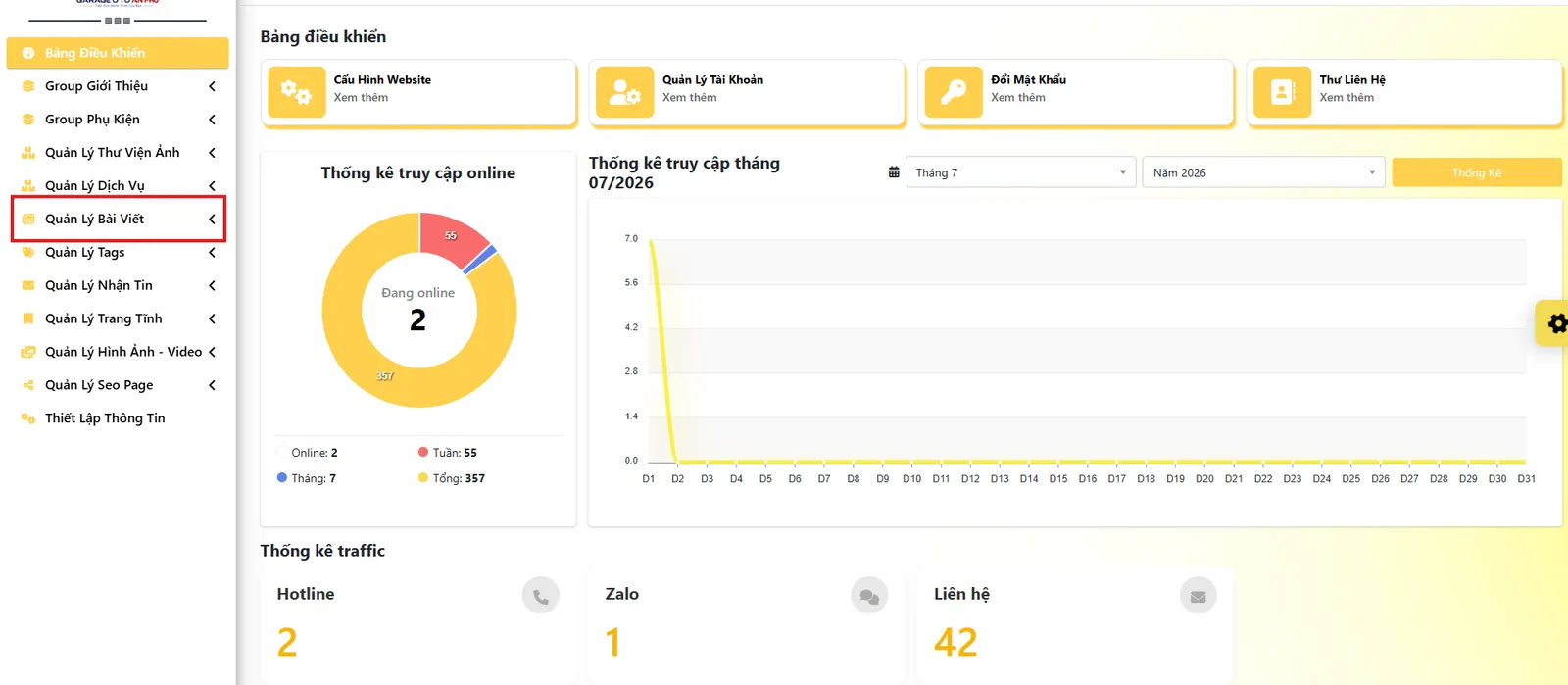
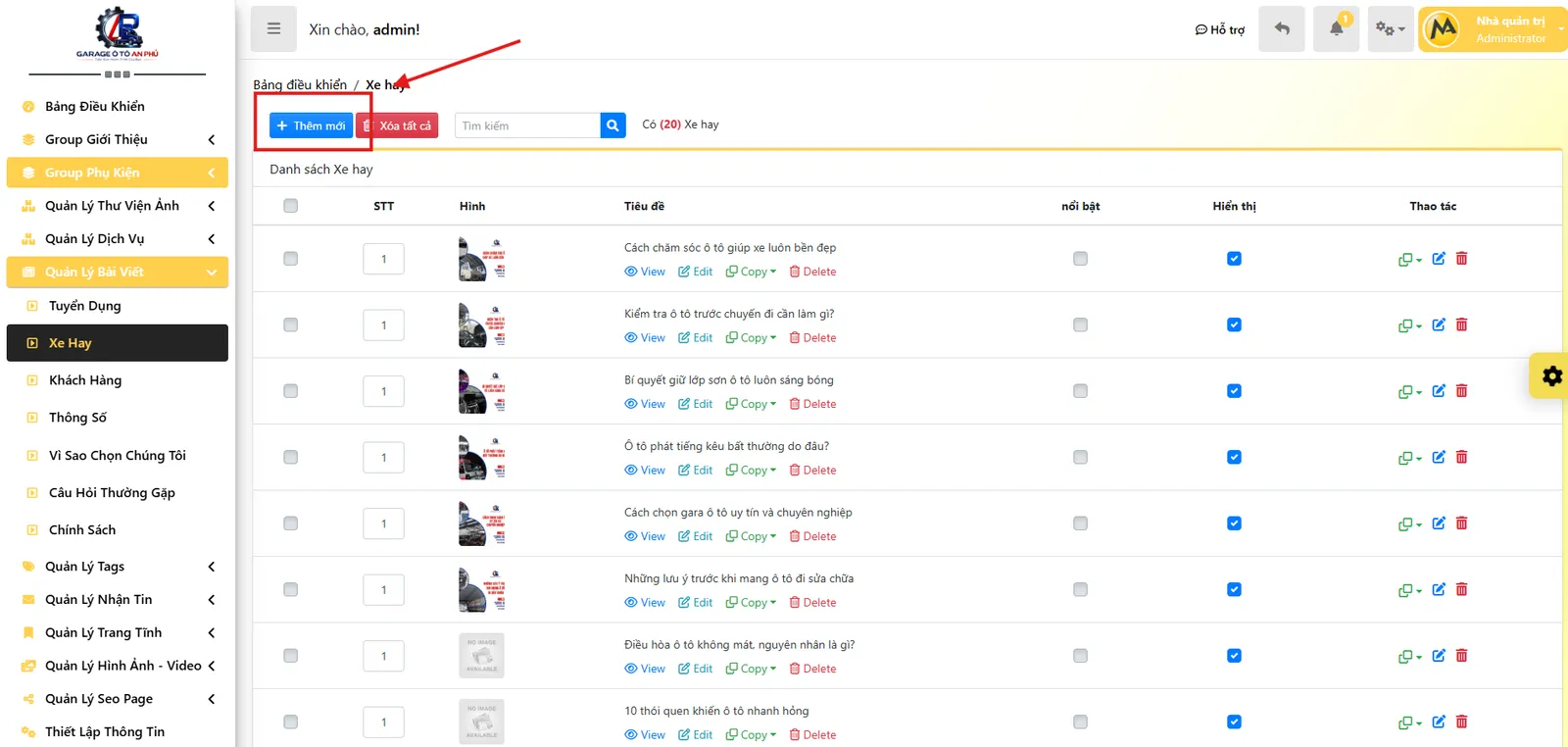
Step 1: Click Add New
- First, log in to the AI Content system.
- On the article management interface, click the "Add New" button to create a new article.
- This is the initial step to begin your AI-powered content creation process.
Contact us now: 0909 035 333
Contact us now: 0909 035 333
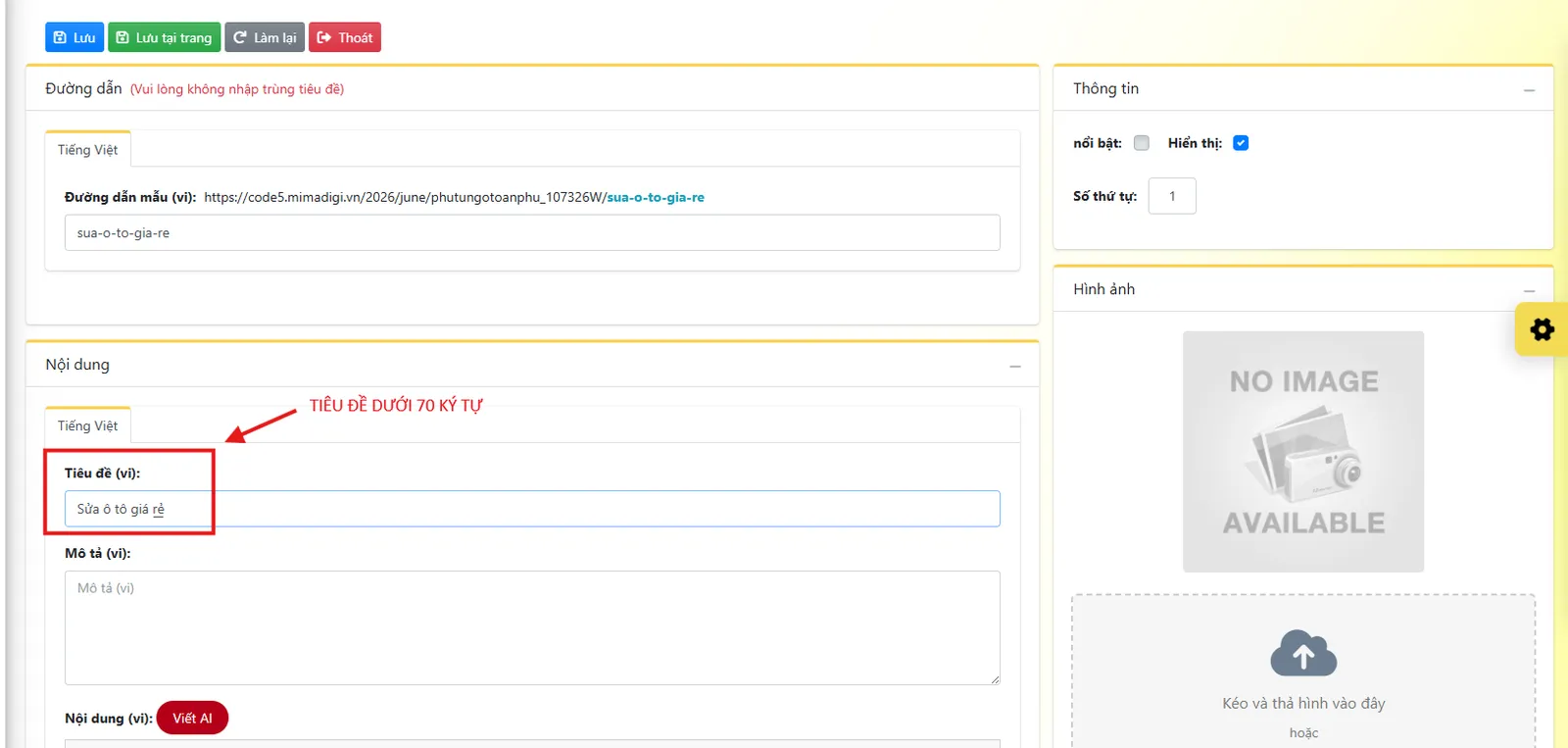
Step 2: Enter the Article Title
After creating a new article, enter the title you want the AI to develop.
Example:
- Website SEO Services
- Professional Car Garage
- What is a High-Speed Rolling Door?
- How to Properly Care for Your Car
Note: The clearer the title, the more accurate and on-topic the AI-generated content will be.
Contact us now: 0909 035 333
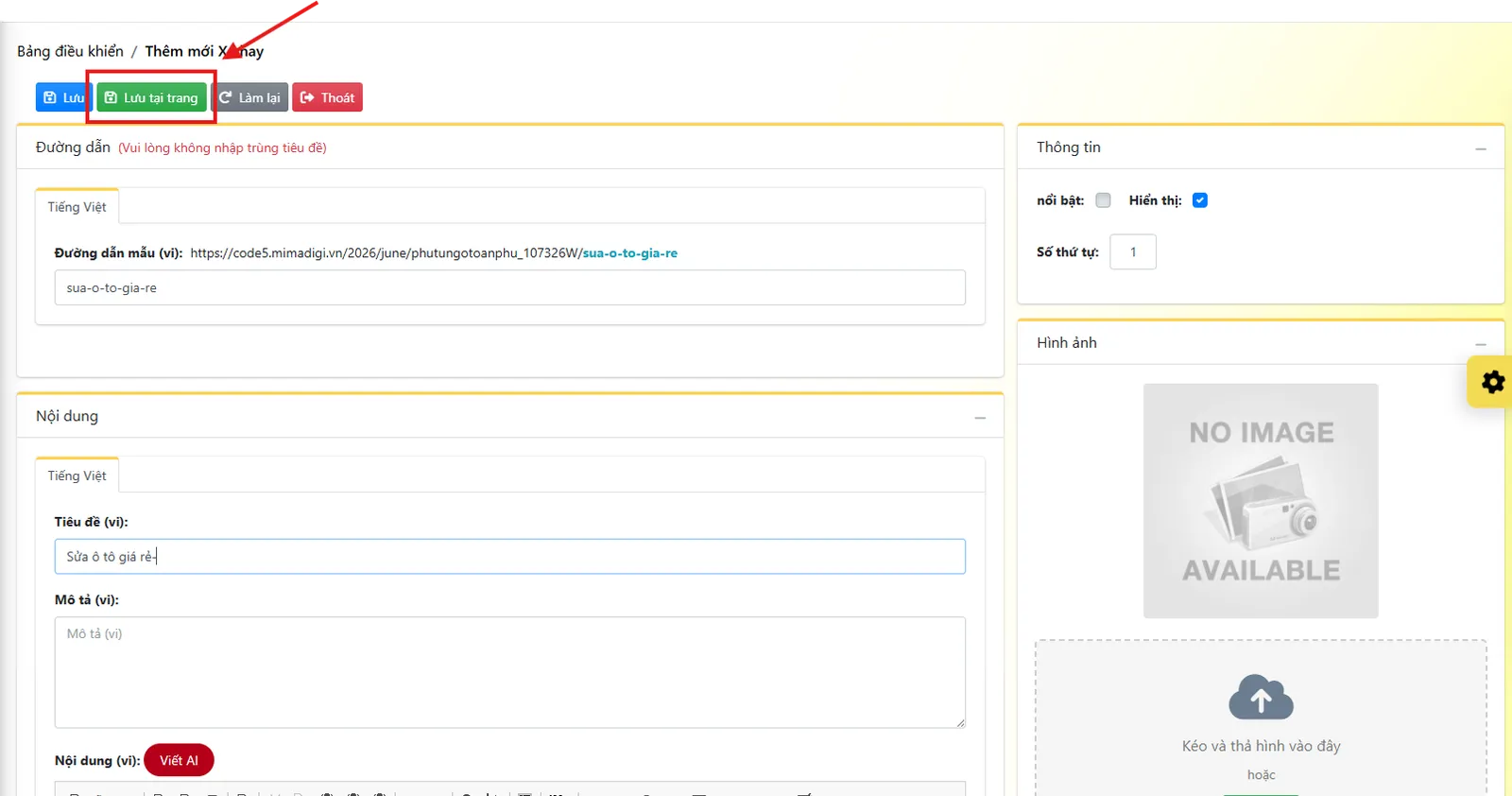
Step 3: Click Save on Page
- After entering the title, click "Save on Page".
- Saving the article ensures the system registers the title, allowing the AI to correctly understand and analyze the content you want to create.
- This step is crucial, as the AI will not receive the article information if it hasn't been saved.
Contact us now: 0909 035 333
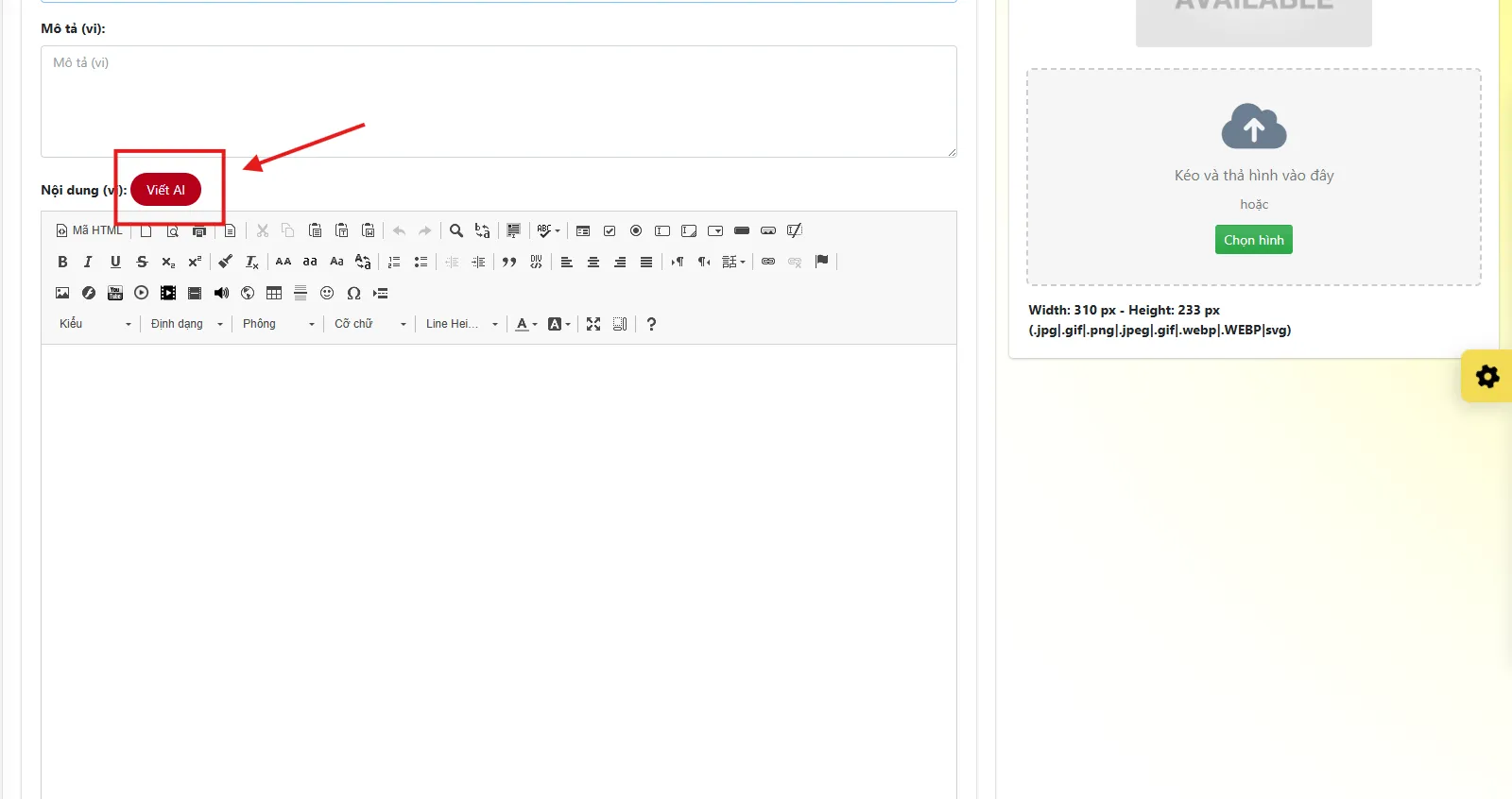
Step 4: Select AI Write
- After successfully saving, click the "AI Write" button.
- A settings window will appear, allowing you to select parameters before the AI starts generating content.
Contact us now: 0909 035 333
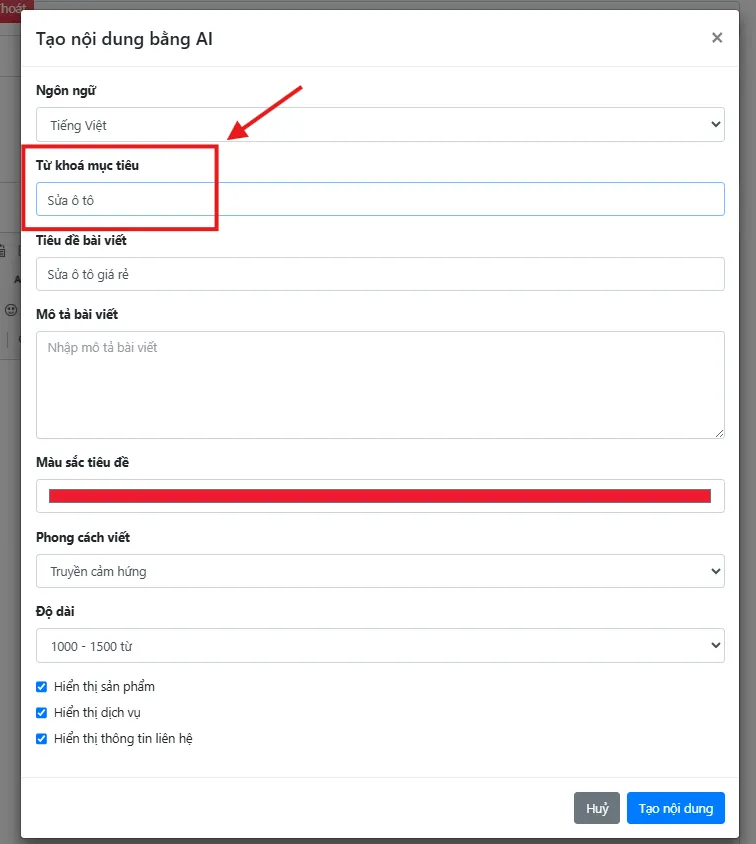
Step 5: Enter Keywords
In the Keywords field, enter the main keywords you want the AI to focus on.
Example:
- website design
- SEO services
- car garage
- high-speed rolling door
- Da Nang travel
You can also enter multiple related keywords to help the AI broaden the content and optimize for SEO more effectively.
Contact us now: 0909 035 333
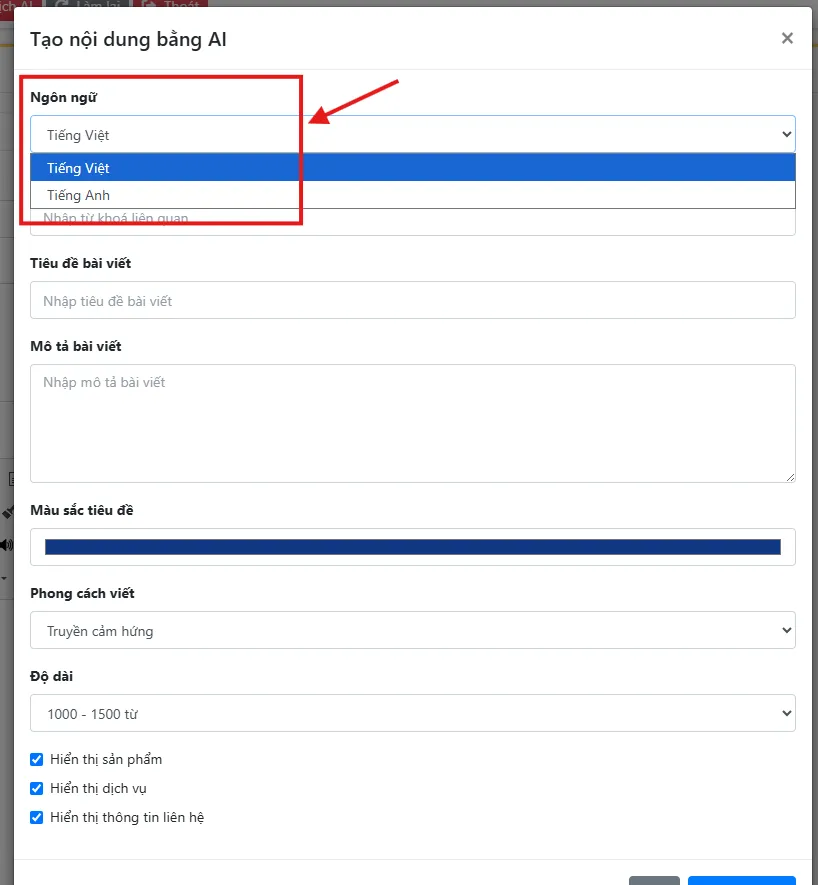
Step 6: Select Language
Next, select the language you want the AI to use for writing the article.
The system supports multiple languages, such as:
- Vietnamese
- English
Please select the correct language that matches your target audience.
Contact us now: 0909 035 333
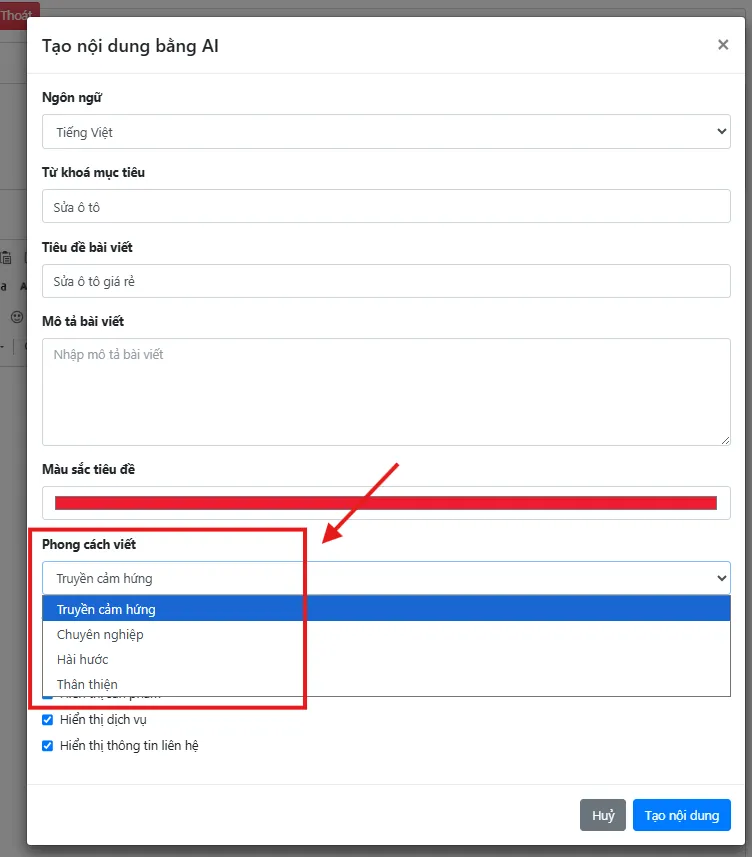
Step 7: Choose Writing Style
AI Content supports various writing styles.
You can choose from options such as: Professional
- Inspirational
- Humorous
- Friendly
If you are writing articles for a website, you should select "SEO Standard" to ensure the content is better optimized for Google.
Contact us now: 0909 035 333
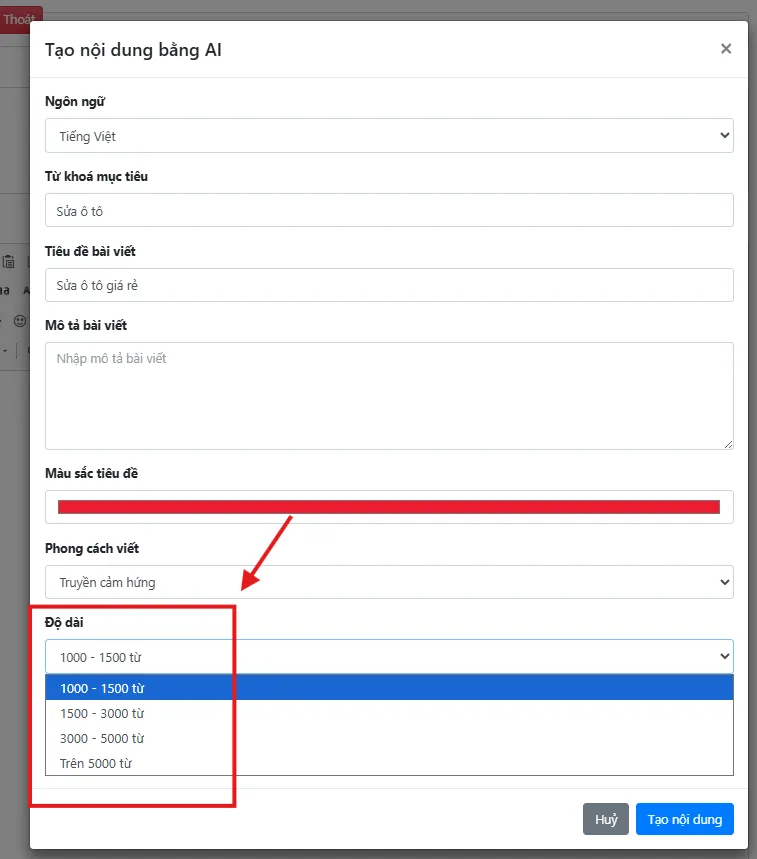
Step 8: Select Article Length
Next, choose the article length that suits your needs.
Typically, options include:
- 1,000 - 1,500 words
- 1,500 - 3,000 words
- 3,000 - 5,000 words
- Over 5,000 words
If your goal is website SEO, you should choose a Medium or Long article length for more comprehensive and valuable content for readers.
Contact us now: 0909 035 333
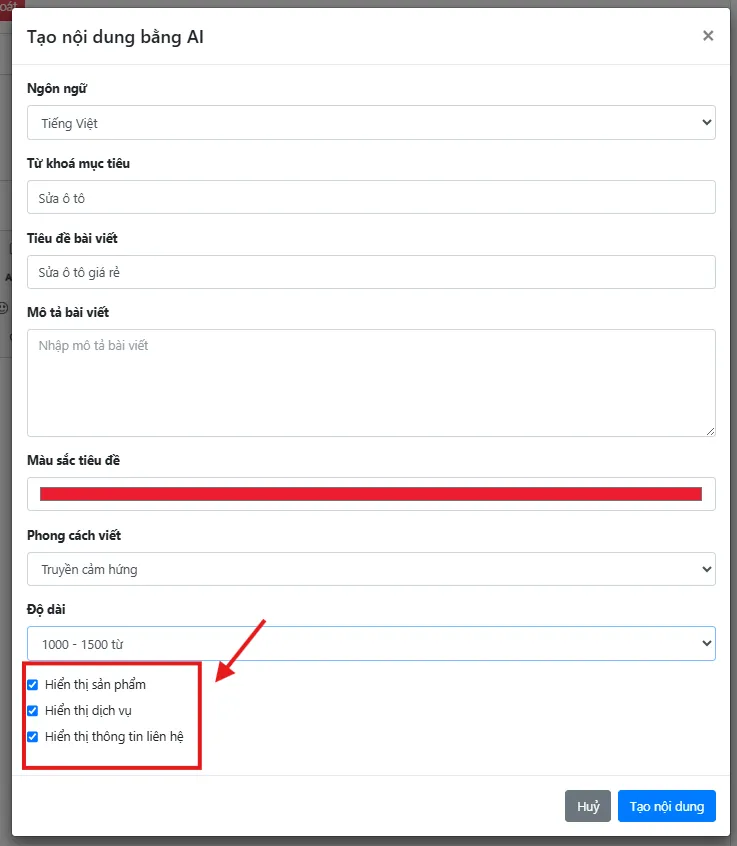
Step 9: Select Content Type
AI Content supports generating various types of content.
Simply select the correct content type you need to create, such as:
- Display services
- Display products
- Display contact information
Choosing the correct category will help the AI generate content appropriate for your intended purpose.
Contact us now: 0909 035 333
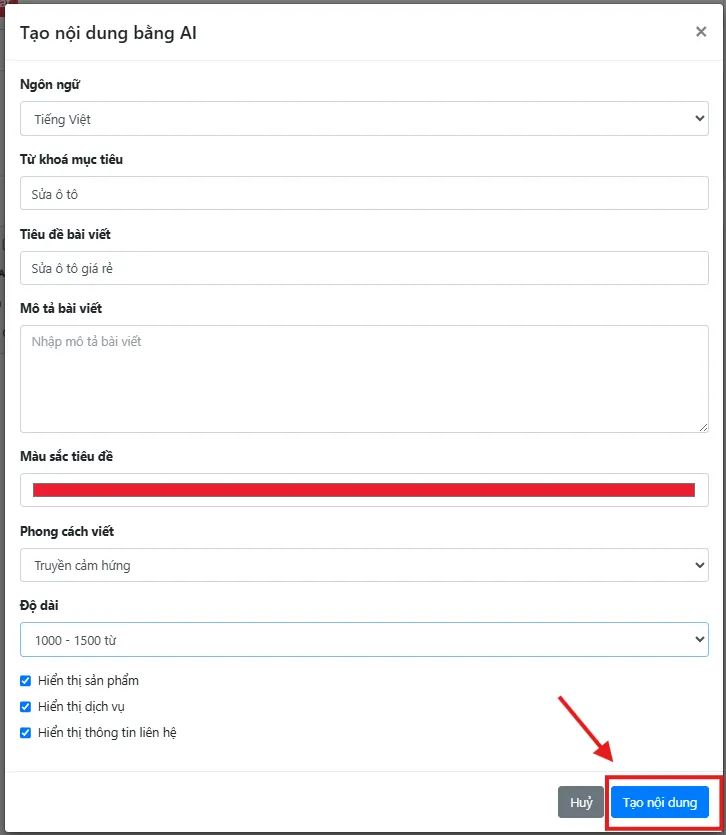
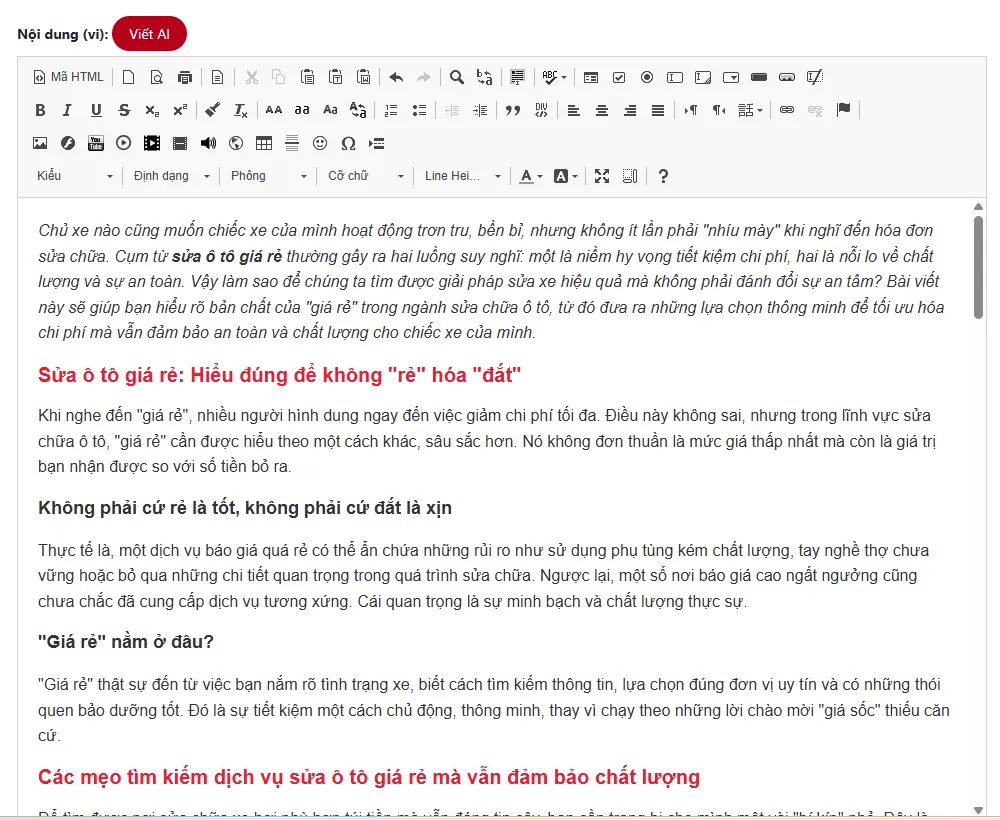
Step 10: Click Generate Content
After completing all settings, click "Generate Content".
Contact us now: 0909 035 333
The AI will automatically analyze:
- Title
- Keywords
- Language
- Writing Style
- Article Length
- Content Type
In just a short time, the AI will generate a complete article for you with a clear structure, coherent content, and closely adhering to the entered topic.
Contact us now: 0909 035 333
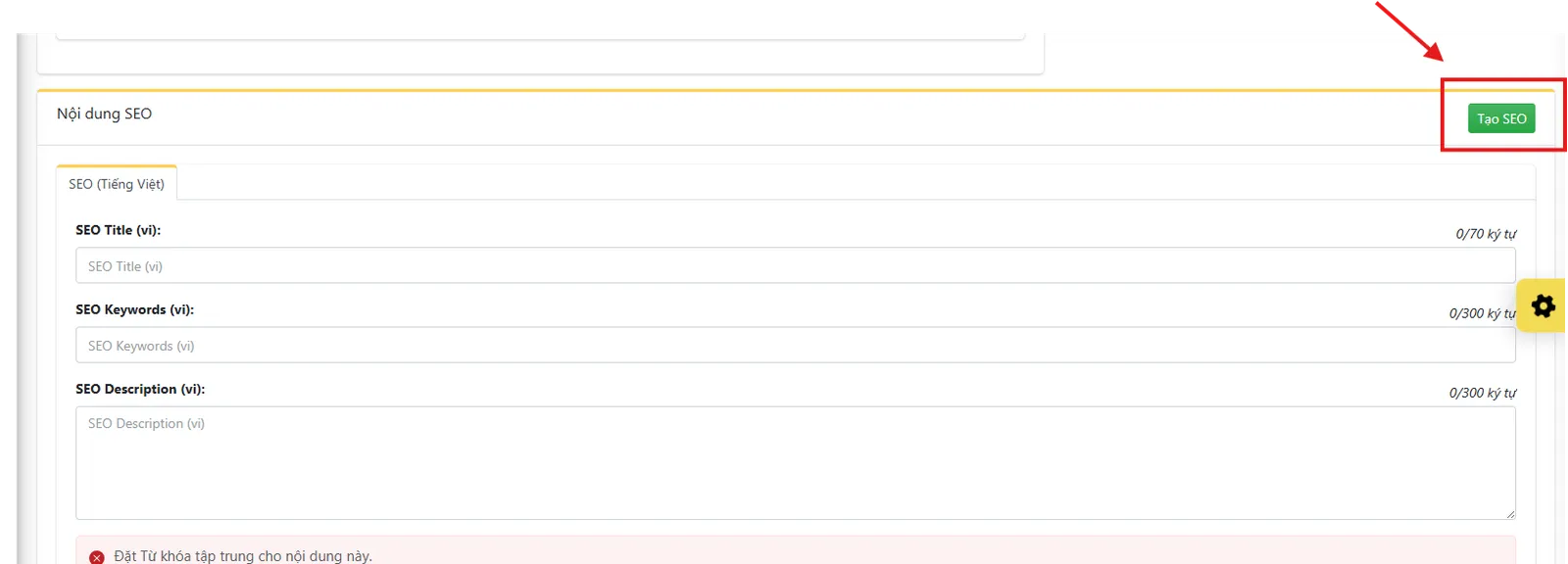
Step 11: Click Generate SEO
Once the article is generated, click "Generate SEO".
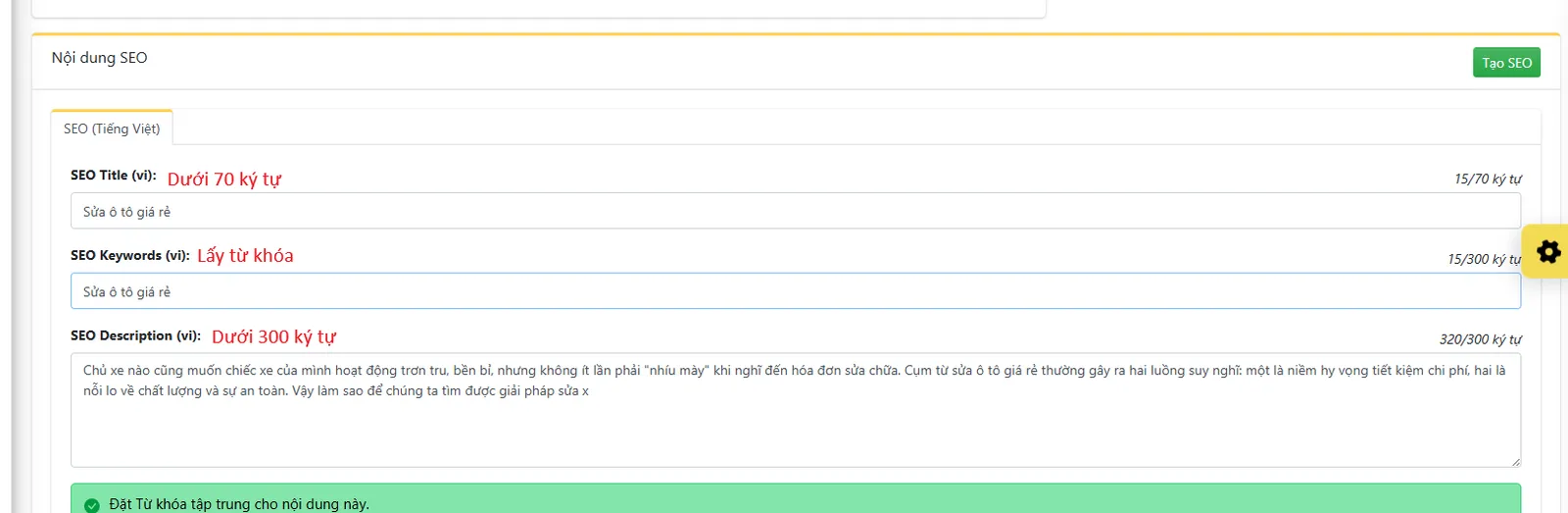
This feature will help the AI automatically generate important SEO components such as:
- Meta Title
- Meta Description
- SEO Keywords
As a result, the article will be ready for publication on your website without requiring extensive manual optimization.
However, you should still review and edit if you want the Meta Title or Meta Description to be more appealing to increase click-through rates on Google.
Contact us now: 0909 035 333
Contact us now: 0909 035 333
Tips to Help AI Write Better Articles
To help the AI generate quality content, you should:
- Set clear and on-topic titles.
- Enter precise keywords.
- Choose a writing style suitable for your purpose.
- Select an appropriate article length.
Review the content after the AI completes it and add specific business information to make the article more unique and trustworthy.
AI Content is a fast article writing tool that saves time while ensuring clear and SEO-optimized content. In just 11 simple steps, you can create a complete article, from entering the title and setting keywords to optimizing for SEO, all within minutes.
Experience AI Content today to boost your productivity, create professional content, and grow your website more easily.
Contact Information:
MIMA Digi
- Address: 31/3B Thoi Tu Hamlet 1, Dong Thanh Commune, Ho Chi Minh City, Vietnam
- Hotline: 0909 035 333
- Website: https://mimadigi.com
- Email: info@mimadigi.com
Contact MIMA Digi today for consultation and to experience our AI Content solution, helping you create quality, SEO-optimized content and effectively grow your website!

_PJg1V.webp)