













Guide to Verifying Your Business Address for Running Ads Maps
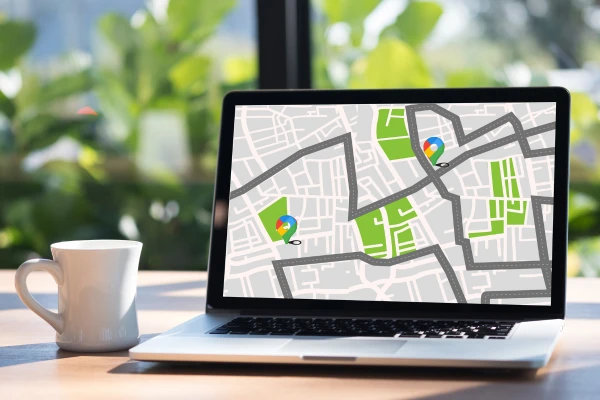
In online and local business, running Google Maps ads helps businesses reach local customers accurately and quickly. However, before deploying ads, businesses need to verify their address on Google Business Profile.
Verifying the address not only ensures that ads are displayed correctly but also enhances the credibility of the business. Combined with Licensed website design, Custom website design and SEO-standard web design, businesses will create a seamless user experience, increase conversion rates, and build a long-term brand.
Why is verifying your business address important?
Ensure ads are displayed accurately
If the address is not verified, Google Maps ads may not appear or may display the wrong location. This wastes budget and reduces campaign effectiveness.
Enhance business credibility
A verified address helps customers trust more. When combined with a top Google web design landing page and professional images, businesses create credibility from the first interaction.

Support optimizing Ads Maps campaigns
Verifying the address helps businesses maximize the features of Google Maps Ads, from targeting local audiences to using keywords related to the area.
Steps to verify your business address
Step 1: Register for Google Business Profile
Businesses need to register for a Google Business Profile account (formerly Google My Business) and enter complete information: business name, address, phone number, opening hours, website, and images.
Step 2: Choose a verification method
Google offers several verification methods:
- Postal mail: Google sends a PIN code to the registered address
- Phone: Receive a verification code via text message or phone call
- Email: Receive a verification code via business email
- Instant verification: Applies if the business has already verified its website via Google Search Console

Step 3: Enter the verification code
After receiving the code, enter it into your Google Business Profile account to complete the verification process.
Step 4: Check and optimize information
After verification, businesses should check the displayed information, update images, videos, and service descriptions. This is also the time to combine Custom website design to optimize the landing page and website linked to Google Maps Ads.
Things to note when verifying your business address
Accurate and complete address
The address must match the business license and other authentication documents. This ensures that Google approves quickly and reduces the risk of rejection.
Quality images
Photos of the store, products, employees, and business environment help increase credibility. Combining SEO-standard web design and a professional landing page helps customers easily take action from clicking on the ad.

Update information regularly
If the business changes its address, phone number, or opening hours, it needs to be updated immediately on Google Business Profile so that ads are not interrupted.
24/7 technical support
A reputable website design company will ensure 24/7 technical support, handling any incidents related to verification, landing pages, or advertising, helping Ads Maps campaigns always operate effectively.
Optimize Ads Maps campaigns after verification
Choose local keywords
Use keywords directly related to the area and products/services, for example: "website design in Ho Chi Minh City", "coffee shop in Hoc Mon", to help ads target the right audience.
Optimize landing page and website
- Custom website design: suitable for campaign goals
- SEO-standard web design: increase the ability to appear on Google's natural search
- Top Google web design: enhance brand reputation and user experience
Use real images and reviews
Professional images and real customer reviews help increase credibility. A landing page that combines images and reviews helps customers easily take action from clicking on ads.

Monitor and optimize continuously
Track impressions, clicks, conversion rates, and adjust keywords, ad content, or landing pages when needed. 24/7 technical support ensures campaigns operate continuously and effectively.
Illustrative Case Study
A website design business in Ho Chi Minh City cooperates with MIMA - website design company:
- Verify Google Business Profile address quickly
- Landing page and website are SEO-standard web design and Custom website design
- Images and customer reviews are fully displayed
Result: ads appear accurately on Google Maps, increase local searches by 150%, improve conversion rates, and strengthen the brand.
Frequently Asked Questions
1. Is verifying a business address on Google Maps really necessary?
Very necessary. Verification helps Google Maps ads display accurately, increases credibility, and optimizes campaign effectiveness.
2. Can I verify by phone or email?
Yes. Google offers several verification methods: postal mail, phone, email, or instant verification if you have already verified your website via Google Search Console.
3. How long does the verification process take?
Verification time depends on the method. Postal mail is usually from 5–14 days, email or phone can be in a few minutes to a few hours.
4. What if the business changes its address?
Need to update immediately on Google Business Profile so that ads are not interrupted. Website and landing page Custom website design should also be adjusted accordingly.
5. How does address verification help Google Ads Maps campaigns?
Verification ensures that ads appear in the correct location, optimizes local targeting, and increases conversion rates.
6. What should landing pages optimize to support Ads Maps?
Landing pages should have SEO-standard web design, fast loading speed, be responsive, have a clear CTA, and quality images and videos. Combining Licensed website design enhances the user experience.
7. Are customer images and reviews important?
Very important. Quality images and real reviews help increase credibility. Top Google web design landing pages support a seamless experience from advertising to customer action.
8. Can I verify myself or should I hire an agency?
You can verify yourself, but hiring a website design company combined with agency support helps optimize keywords, landing pages, and handle technical issues quickly, saving time.
9. Is 24/7 technical support necessary?
Very necessary. When there are problems with verification, landing pages, or advertising, the technical team handles them promptly, ensuring campaigns operate continuously.
10. Does address verification help build a long-term brand?
Yes. Combining complete information, professional images, customer reviews, and Custom website design, SEO-standard web design landing pages helps businesses enhance reputation and long-term brand recognition.
Contact Information
Contact Information
MIMA TRADING SERVICE COMPANY LIMITED
Tax code: 0318672839
Address: Hoc Mon, Ho Chi Minh City
Hotline/Zalo: 0909 035 333
Email: info@mimadigi.com
Website: https://mimadigi.com








Share your review