














Zalo OA: A Detailed Guide on How to Create a Simple Zalo OA to Boost Revenue
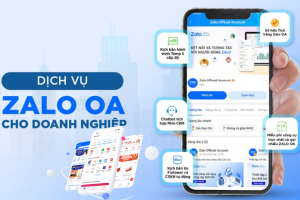
In the digital age, Zalo Official Account (OA) has become an indispensable tool for businesses aiming to effectively reach and interact with customers. It's not just a communication channel, but also a versatile marketing platform, helping businesses build brand, increase sales, and improve customer service.
However, not everyone knows the detailed guide on how to create a simple Zalo OA and maximize its potential. This article from MIMA will provide you with a comprehensive, step-by-step guide to help you own a professional and effective Zalo OA.
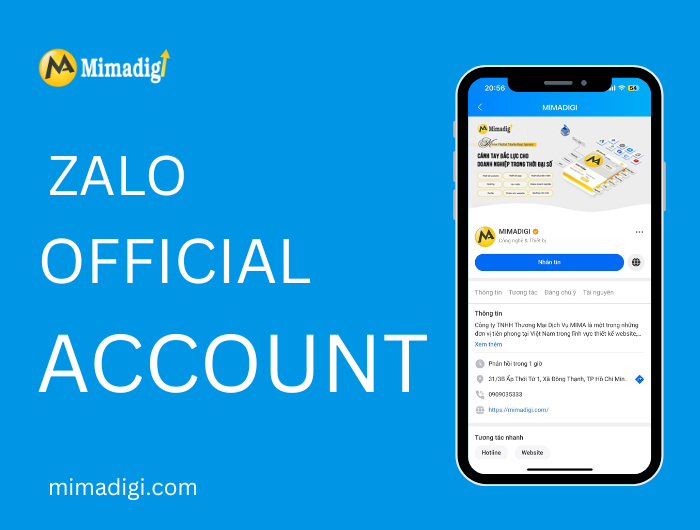
Why Do Businesses Need Zalo OA?
Before diving into the detailed guide on how to create a simple Zalo OA, let's explore why businesses need Zalo OA. Zalo is one of the most popular messaging applications in Vietnam, with millions of daily active users. This creates a huge opportunity for businesses to reach a massive number of potential customers.
- Reach potential customers: Zalo OA helps businesses connect with target customers through advertising campaigns, broadcast messages, and engaging content.
- Enhance interaction: Businesses can interact directly with customers through chat, answer questions, and resolve issues quickly.
- Build brand: Zalo OA helps businesses build a professional and trustworthy image in the eyes of customers.
- Increase sales: By using features such as Zalo Shop and Zalo Ads, businesses can effectively increase sales.
- Provide better customer service: Zalo OA allows businesses to offer 24/7 customer support, answer queries, and handle complaints promptly.
Detailed Guide on How to Create a Simple Zalo OA: Step by Step
Now, let's get into the main part of the article: a detailed guide on how to create a simple Zalo OA. This process includes the following steps:
Prepare Necessary Information
Before you begin, you need to prepare some information:
- Zalo OA Name: This name should match your business or brand name for easy customer recognition.
- Avatar: The avatar should be your business logo or an image representing your brand. Minimum size is 300x300 pixels.
- Cover Photo: The cover photo should be an image promoting your products/services or conveying your business message. Recommended size is 640x360 pixels.
- Business Description: A brief description of your business, the products/services you offer, and the benefits customers receive.
- Contact Information: Address, phone number, email, website (if any).
- Business License: A scanned copy or photo of your business license.
Access the Zalo OA Creation Page
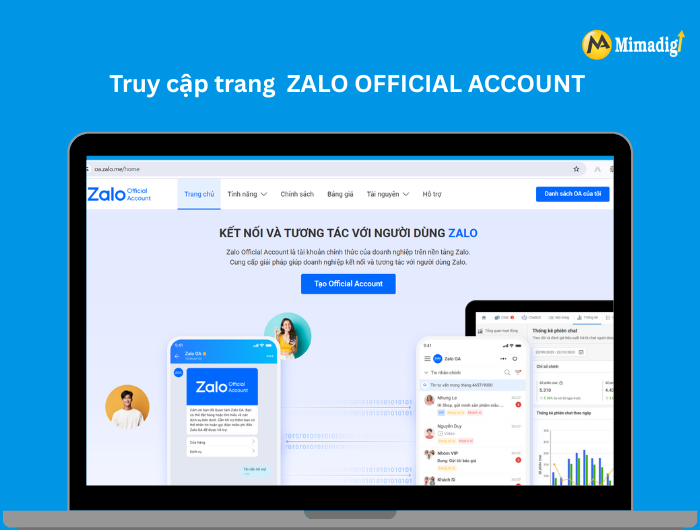
To begin the Zalo OA creation process, you need to access the Zalo Official Account website at https://oa.zalo.me/. Then, select "Create Official Account".
Select Account Type
Zalo offers two types of OA accounts:
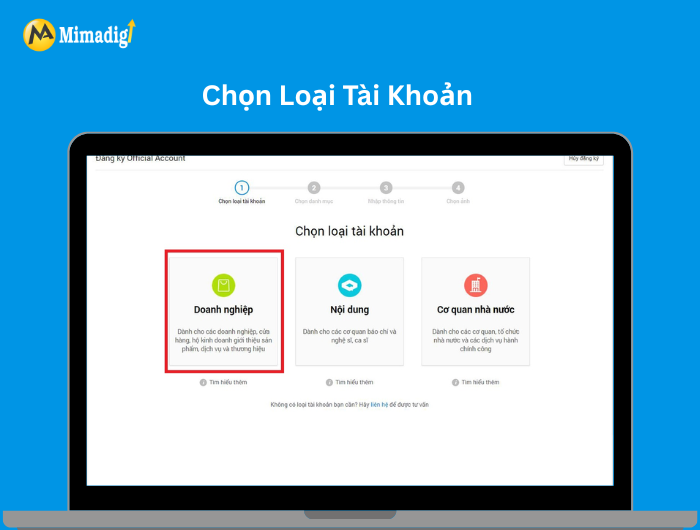
- Business account: For businesses and organizations with a business license.
- Content account: For individuals and organizations operating in media and entertainment.
In this case, you should choose "Business account".
Enter Registration Information
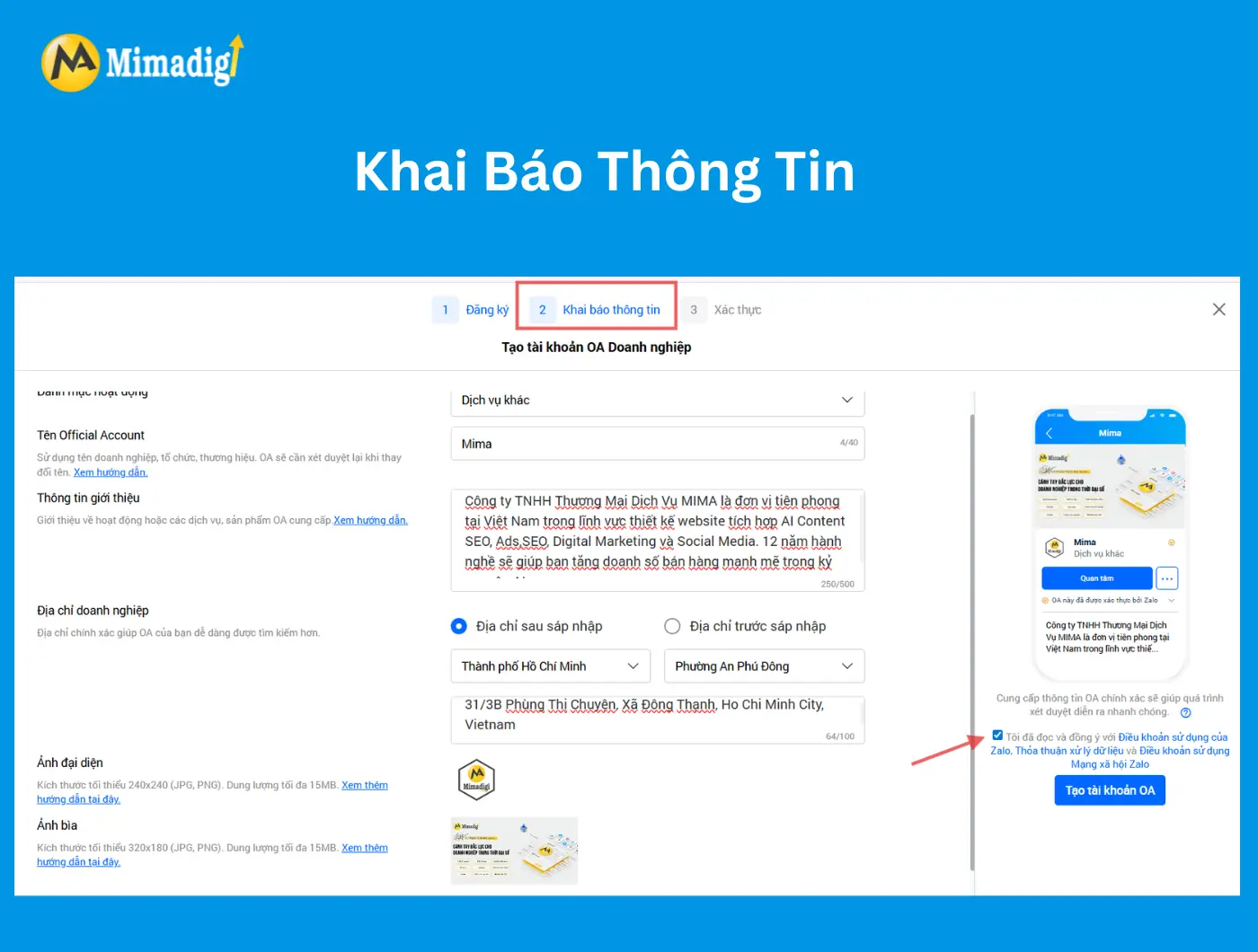
After selecting the account type, you will be asked to enter the following information:
- Account Name: Enter your Zalo OA name. Make sure this name is accurate and easy to remember.
- Business Information: Enter complete information about your business, including company name, address, phone number, and email.
Please double-check the information before clicking "Continue".
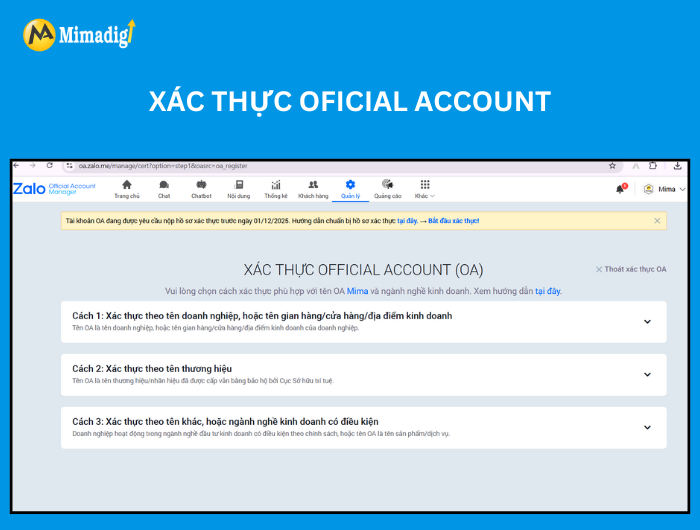
Select Verification Method
Choose your preferred verification method; once verified, your account will be created.
Wait for Approval
After completing the above steps, Zalo will review your account. The approval time usually takes 1-3 working days. During this time, you can check your account's approval status on the Zalo Official Account page.
Configure Zalo OA
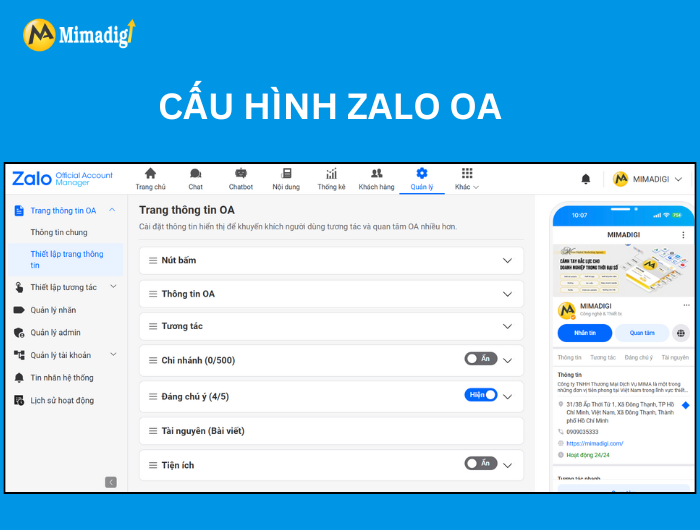
Once your account is approved, you can start configuring your Zalo OA. Configuration steps include:
- Update avatar and cover photo: Upload the previously prepared avatar and cover photo.
- Write business description: Write a brief description of your business, the products/services you offer, and the benefits customers receive.
- Set up contact information: Update your business's address, phone number, email, and website.
- Create a menu: Create a menu to help customers easily find information and use Zalo OA features.
- Set up a welcome message: Create a welcome message to automatically send to customers when they show interest in your Zalo OA.
Start Using Zalo OA
After completing the configuration steps, you are ready to use Zalo OA to connect with customers, build your brand, and increase sales. You can use the following features:
- Send broadcast messages: Send bulk messages to everyone interested in your Zalo OA.
- Create posts: Share news, product/service information, and other engaging content on Zalo OA.
- Use Zalo Shop: Sell directly on Zalo through the Zalo Shop feature.
- Run Zalo Ads: Reach potential customers through advertising on Zalo.
- Interact with customers: Reply to messages, answer queries, and handle customer complaints.
MIMA: A Trusted Partner to Help Businesses Build Effective Zalo OA
If you find the process of creating and managing a Zalo OA complex, don't worry! MIMA TRADING SERVICES COMPANY LIMITED is ready to accompany you. With many years of experience in website design, software, apps, hosting, business domains, SEO website, Google Ads, Facebook Ads, press backlinks, user traffic, profile design, Ministry of Industry and Trade registration, and especially Zalo OA services, Zalo Mini App, MIMA is confident in providing you with the most optimal solution.
MIMA understands the challenges businesses often face when approaching Zalo OA. We provide the following services:
- Consultation and Zalo OA strategy development: We will help you define your goals, target audience, and content strategy suitable for your business.
- Professional Zalo OA design and configuration: We will create a Zalo OA with an attractive, user-friendly interface that aligns with your brand.
- Zalo OA management and optimization: We will help you manage content, interact with customers, and optimize the effectiveness of your Zalo OA.
- Effective Zalo Ads campaigns: We will help you create effective Zalo Ads campaigns, reach the right target audience, and increase sales.
- Zalo Mini App development: Expand interaction capabilities and provide services to customers through a custom-designed Zalo Mini App for your business.
With a team of experienced and dedicated experts, MIMA is committed to providing you with a professional, effective, and budget-friendly Zalo OA.
Benefits of Choosing MIMA as Your Zalo OA Implementation Partner
Choosing MIMA as your Zalo OA implementation partner offers numerous practical benefits for businesses:
- Save time and effort: You don't need to research and perform complex steps yourself. MIMA will handle everything from A to Z.
- Ensure effectiveness: With its experience and expertise, MIMA will help you build an effective Zalo OA, bringing the best business results.
- Optimize costs: MIMA offers flexible service packages, suitable for your budget.
- Dedicated support: MIMA is always ready to support you throughout the process of using Zalo OA.
- Latest knowledge updates: MIMA constantly updates the latest knowledge and trends regarding Zalo OA to ensure you stay ahead in the market.
Frequently Asked Questions About Zalo OA (FAQ)
Here are some frequently asked questions about Zalo OA:
- Is Zalo OA free? Creating a Zalo OA account is free. However, some advanced features like sending large-scale broadcast messages or using Zalo Ads will incur fees.
- How to increase the number of Zalo OA followers? You can increase followers by sharing your Zalo OA link on other communication channels, running Zalo Ads, or organizing promotional programs.
- Can I use Zalo OA to sell products? Yes, you can use the Zalo Shop feature to sell directly on Zalo.
- How to manage Zalo OA effectively? You should regularly update content, interact with customers, and monitor performance metrics to optimize your Zalo OA.
- Can I create multiple Zalo OAs for the same business? Yes, you can create multiple Zalo OAs for the same business, but each Zalo OA should focus on a specific product/service or target customer segment.
We hope this detailed guide on how to create a simple Zalo OA has provided you with useful information to start building a Zalo OA for your business. If you need professional support, do not hesitate to contact MIMA TRADING SERVICES COMPANY LIMITED. We are always ready to accompany you on the path to success.
Contact Information:
- Company Name: MIMA TRADING SERVICES COMPANY LIMITED
- Address: 31/3b Phùng Thị Chuyện, Đông Thạnh Commune, Ho Chi Minh City
- Phone: 0902875586
- Email: info.mimadigi@gmail.com
- Website: https://mimadigi.com/
We wish you success!










Share your review